
For caregivers
Everything a caregiver needs, on their phone
A clear checklist, training that unlocks when the paperwork is done, and one place to message the office.
Saves them
No trips to the office to sign paperwork.
Saves them
No guessing what’s left before the first visit.
Saves them
No personal phone number shared with clients to arrange visits.
Their day in the app
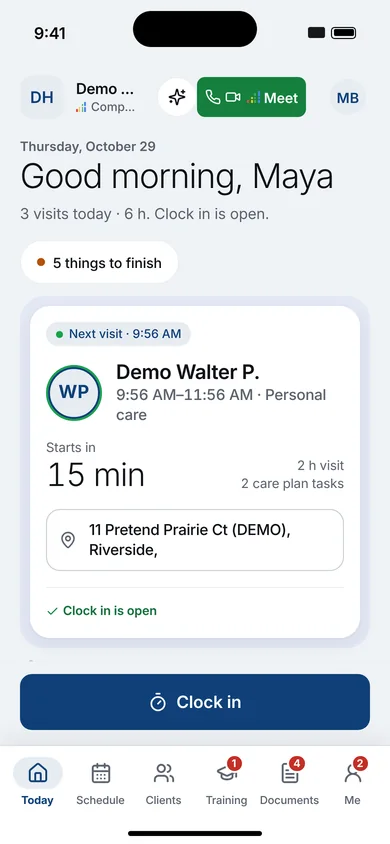
Open the app and see “Before you can start working”, with each step marked “Your turn” or “Waiting on the office”.
Verify their identity with a photo ID and a selfie during hiring and onboarding, when the agency asks for it.
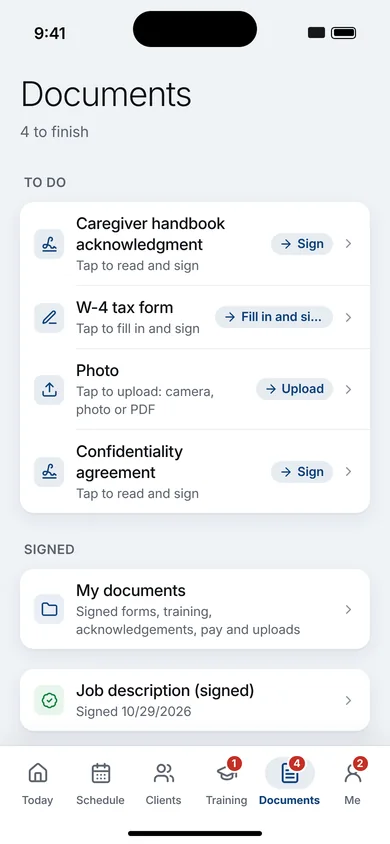
Sign forms on the phone and upload documents such as a CPR card.
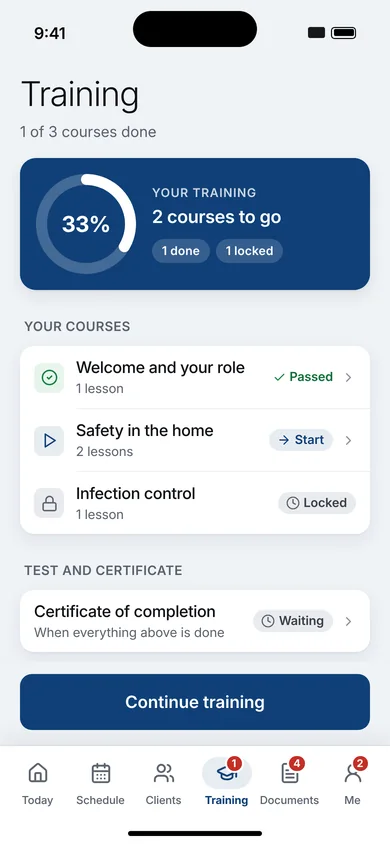
Work through training modules once the paperwork is complete.
See “You’re all set” when the office clears them for visits.
What they see
Messages with the office and their assigned nurse.
A Get help button for a voice call with the office.
The app, reminders and signing pages in their own language: English, Español, Soomaali, Tiếng Việt, Karen (S’gaw) or Hmoob.
The app can be added to the phone’s home screen like any other app.
Stuck on something?
Caregivers tap Get help and talk to your office in the app, instead of phone tag.
How Live Help works →The caregiver app
A caregiver’s day, screen by screen
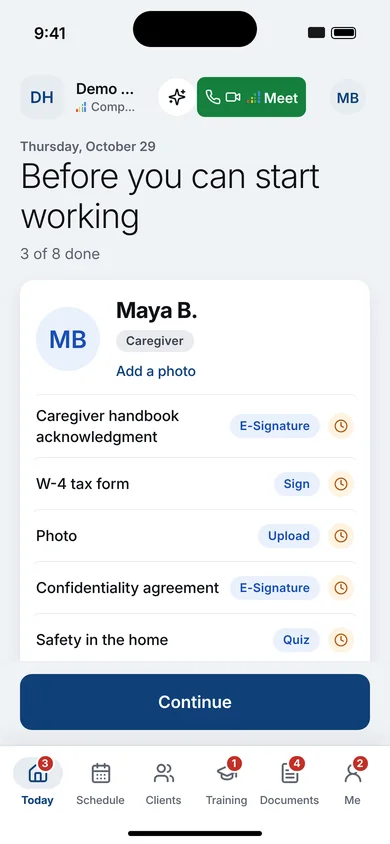
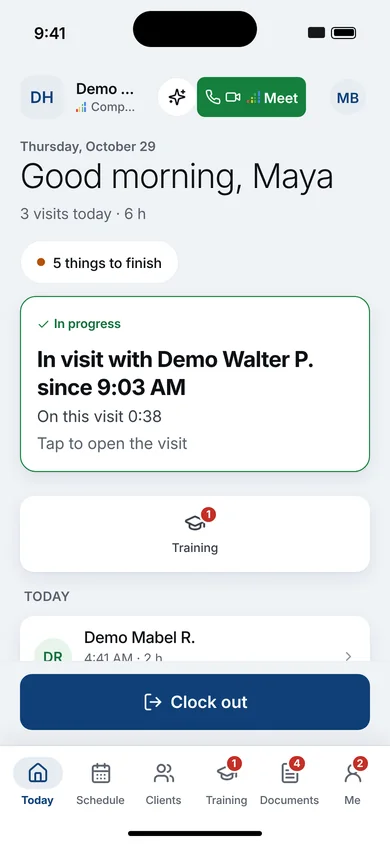
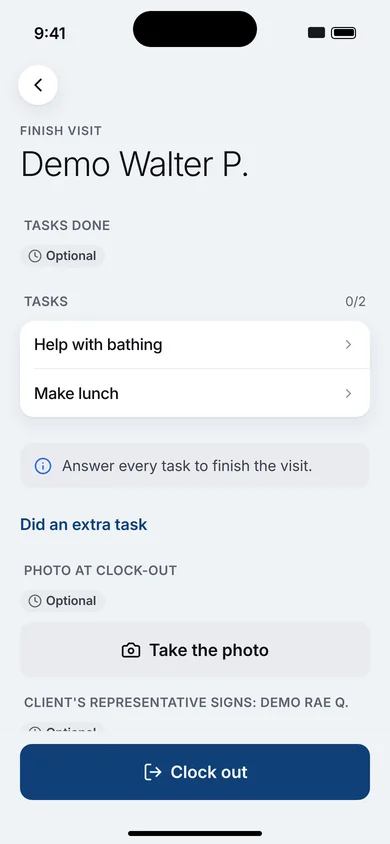
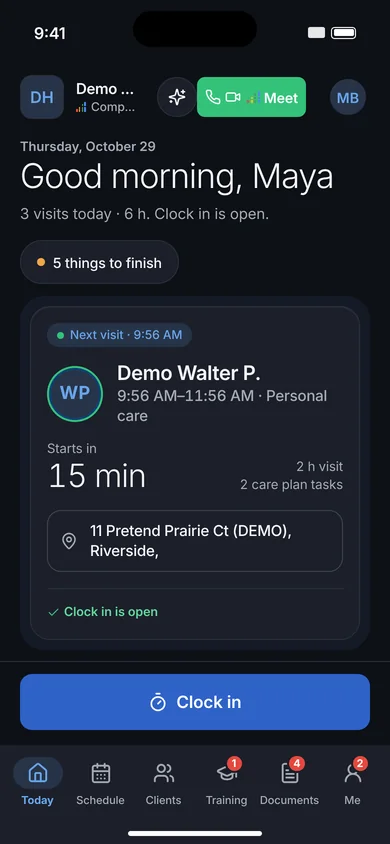
Real screens from the Compliance Pro phone app: getting ready, the day, the visit, clocking out, documents to sign and training. Demo data.
Screens
What caregivers see
One screen at a time, with demo data.
Caregivers
Also built for
The rest of the team
Owners and administrators
What’s missing, what’s expiring and who’s waiting on whom, across the states you operate in.
See their day →Nurse supervisors
Competency evaluations, visits and the office’s follow-up, without writing the same thing twice.
See their day →Coordinators and office staff
Intake, callbacks, signatures and corrections in queues, so nothing waits in someone’s inbox.
See their day →