
Features
Onboarding checklists
Know exactly who is ready to work, and what is holding up everyone else.
Who uses it
Caregivers, Office staff, Nurse supervisors
The problem it solves
You can’t schedule someone until you know they’re cleared.
A new hire needs forms, documents, background checks, training and sometimes a nurse’s evaluation. When that’s spread across email and folders, nobody can answer the simple question: who is ready to work?
How it works
Onboarding checklists, step by step
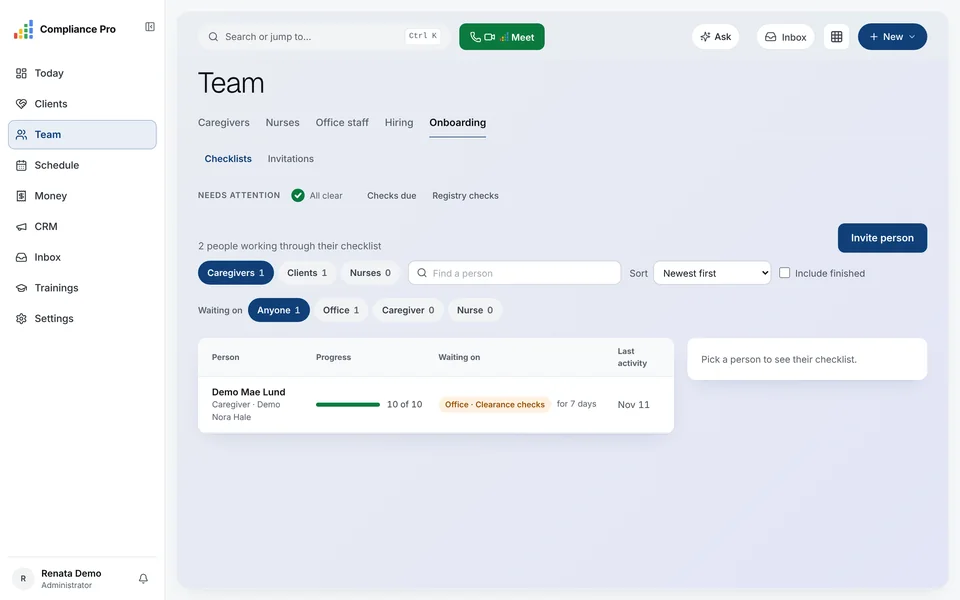
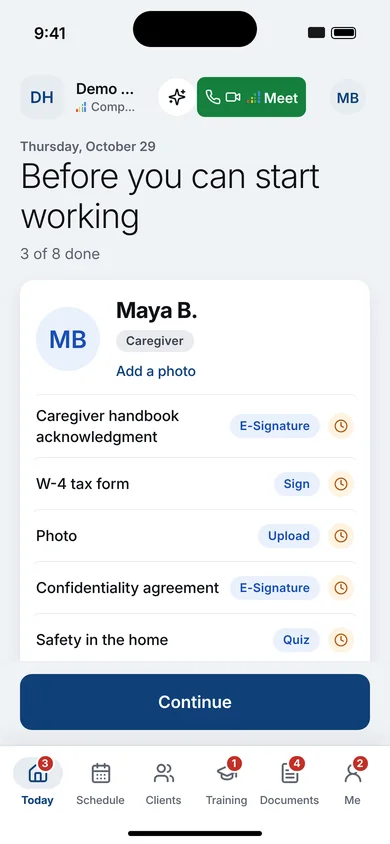
Screenshot from the app, demo data.
New hire’s phone
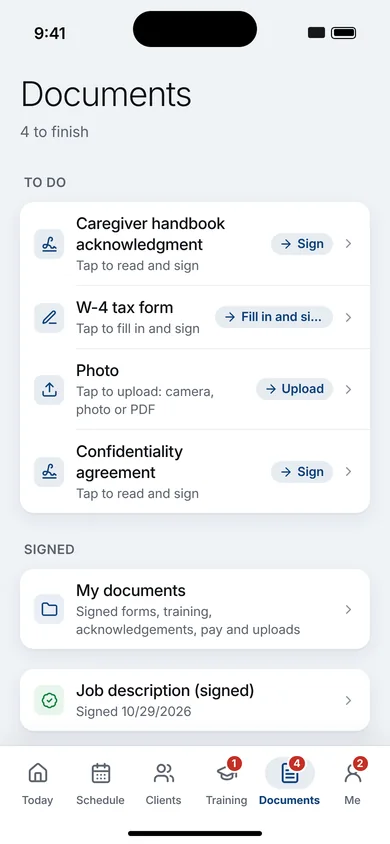
Documents
Signing
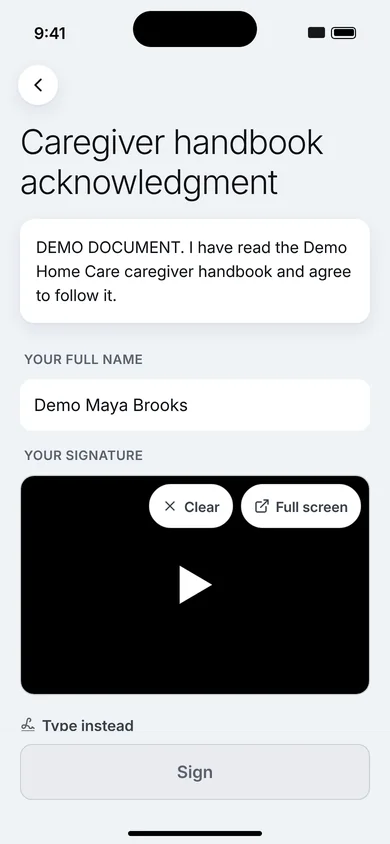
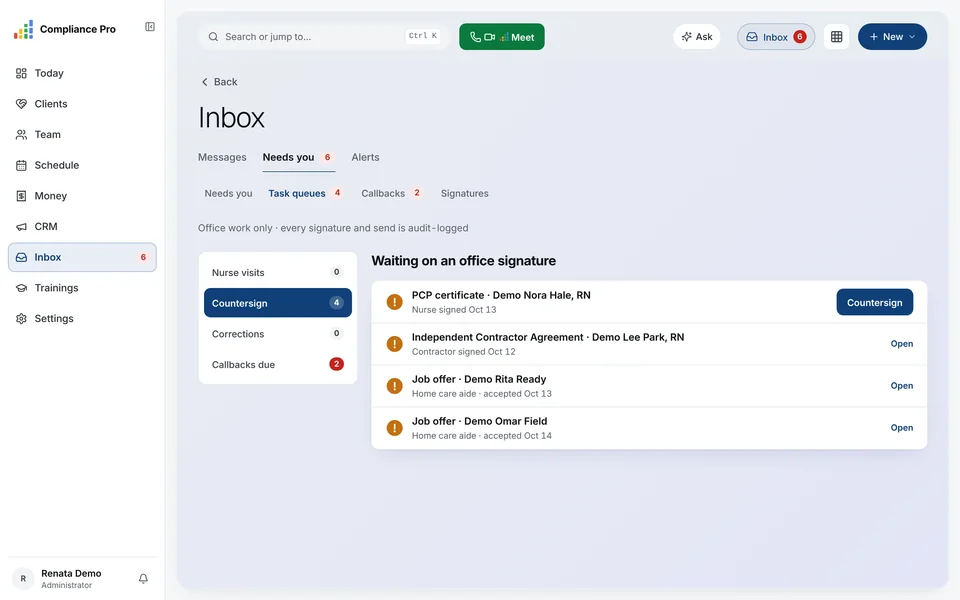
Screenshot from the app, demo data.
Screens from the Compliance Pro app, with demo data. Every name is made up.
Screens
How it looks
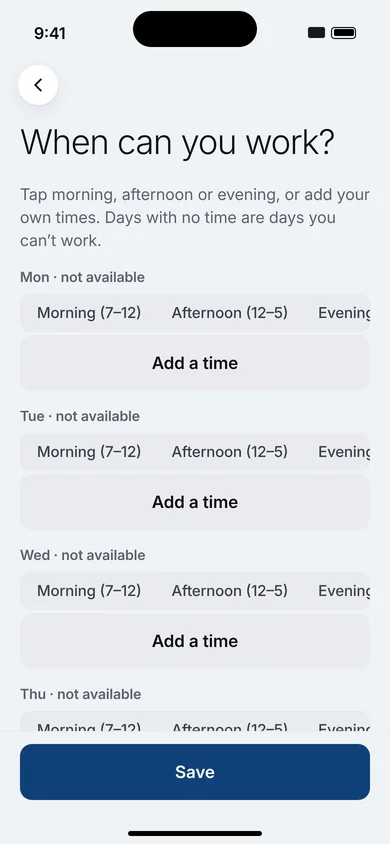
Screens from the app, with demo data. Every name is made up.
Forms library
70+ ready-made forms, and growing
Every form carries your agency’s logo and name and is filled in from your records, so nothing is retyped. Your state’s forms are added when you start, and new states’ forms are added as agencies there join.
- 70+ ready-made forms for staff and clients
- Your logo and details on every form
- Filled in from your records
- Upload your own forms: AI finds the fields for you to approve
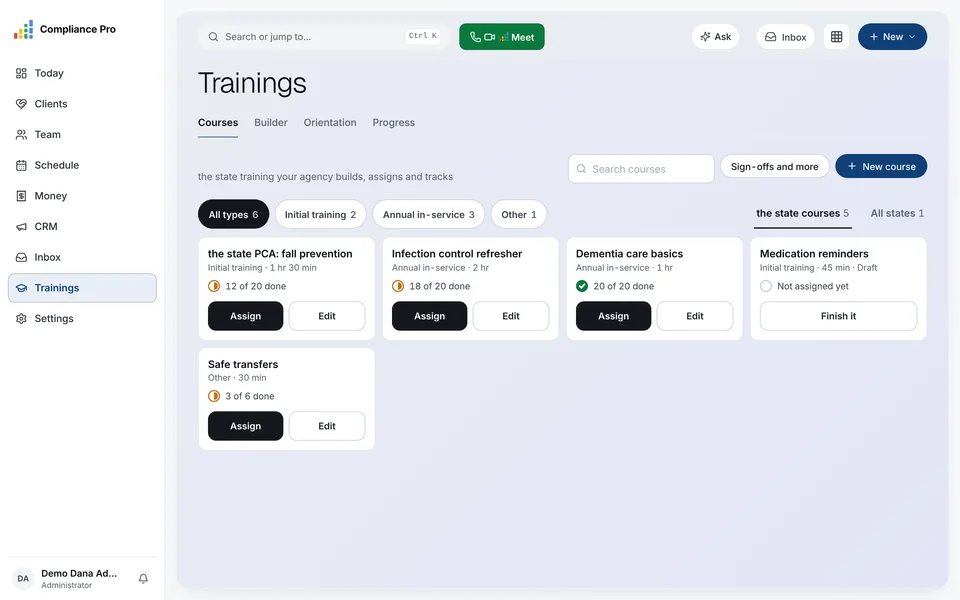
Screenshot from the app, demo data.
Training
A Certificate of Completion for every learner
When a new hire finishes their training, the certificate is added to their file: your logo, the course, the hours, the date and a unique certificate ID, with Compliance Pro certified signatures.
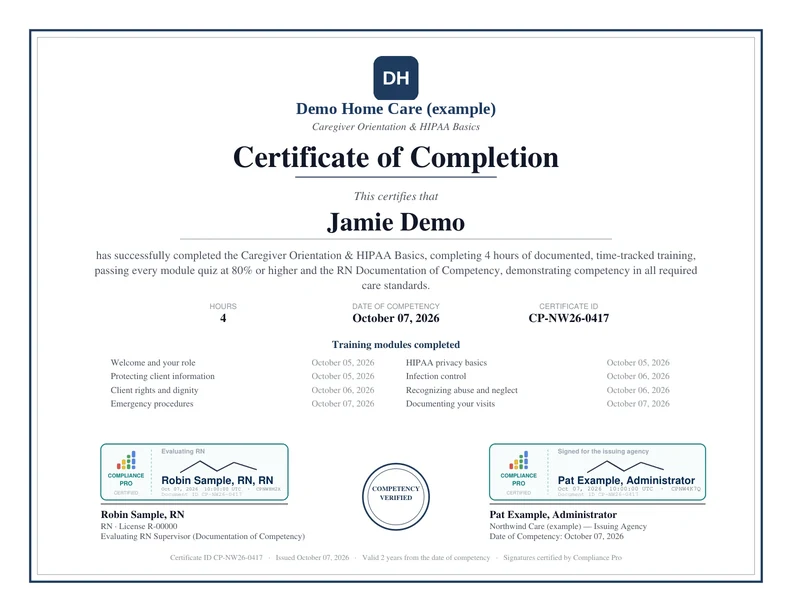
Screenshot from the app, demo data.
Who uses it
Each person sees their part
Caregivers
Finish their checklist on their phone.
Office staff
Invite people, record checks and clear them for work.
Nurse supervisors
Complete nurse steps such as competency.
The rule it helps you meet
Screened before they’re paid by Medicaid
Anyone on the HHS OIG exclusion list can’t be paid by Medicaid. States add their own background studies, such as Minnesota’s under chapter 245C. Each check is recorded with the date and result, and a match blocks the person.
Compliance Pro is software. Your agency stays responsible for meeting the rules, and your state’s own rules apply.
Everything it does
Onboarding checklists, in detail
- Separate checklists for caregivers, clients and nurses.
- Ask once: a new caregiver answers a few short questions, and every form in their packet opens already filled in.
- “Waiting on” shows whether the office, a nurse or the person is holding things up.
- Caregivers see “Before you can start working” on their phone, and the office clears them when every step is done.
- Office and nurse steps stay hidden from clients.
- Exclusion-list checks, such as the OIG exclusion list, are recorded with the date and result. A match blocks the person.
- “Sign & continue” moves the person straight to their next step.
- Upload a document once and reuse it from “My files”.
- The office can complete a step on someone’s behalf, such as attaching a TB test.
- With identity verification on, new hires confirm who they are with a photo ID and a selfie as one of their onboarding steps.
Questions
Can caregivers do this on a phone?
Yes. The checklist, forms, uploads and training all work on a phone.
Do clients see office steps?
No. Office and nurse steps are hidden from clients.