
Features
Training
Ready-made courses with lessons, quizzes and video, matched to each person’s role and state, and a Certificate of Completion at the end.
Who uses it
Caregivers, Nurse supervisors, Office staff
The problem it solves
Untrained staff can’t work, and undocumented training didn’t happen.
State rules set the training each caregiver needs before they work, and every year after. Classroom sign-in sheets get lost, and a reviewer wants scores and dates for each person, not a binder.
- Ready-made courses with lessons, quizzes and video
- A passing score for each course
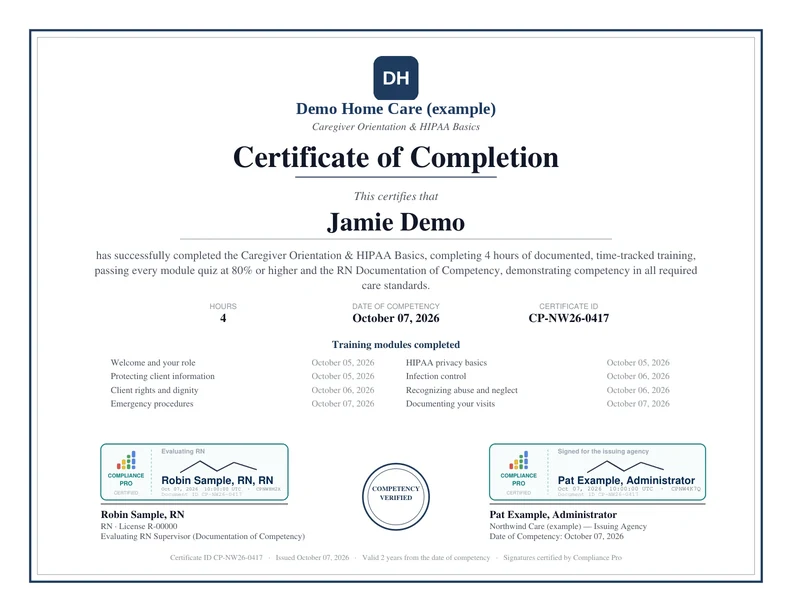
- A Certificate of Completion on each person’s file
How it works
Training, step by step
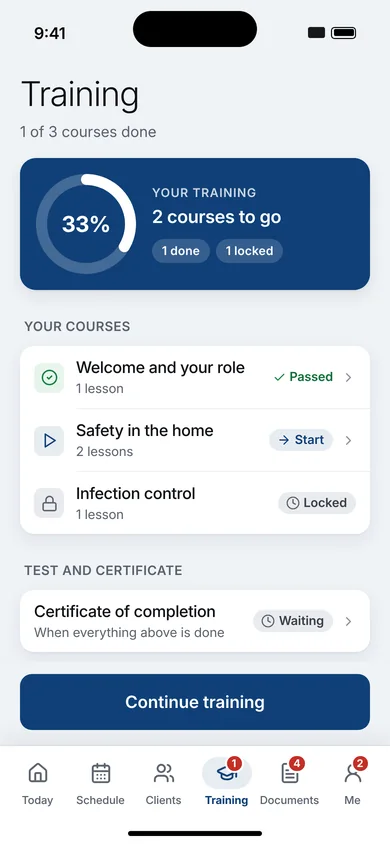
Caregiver’s phone
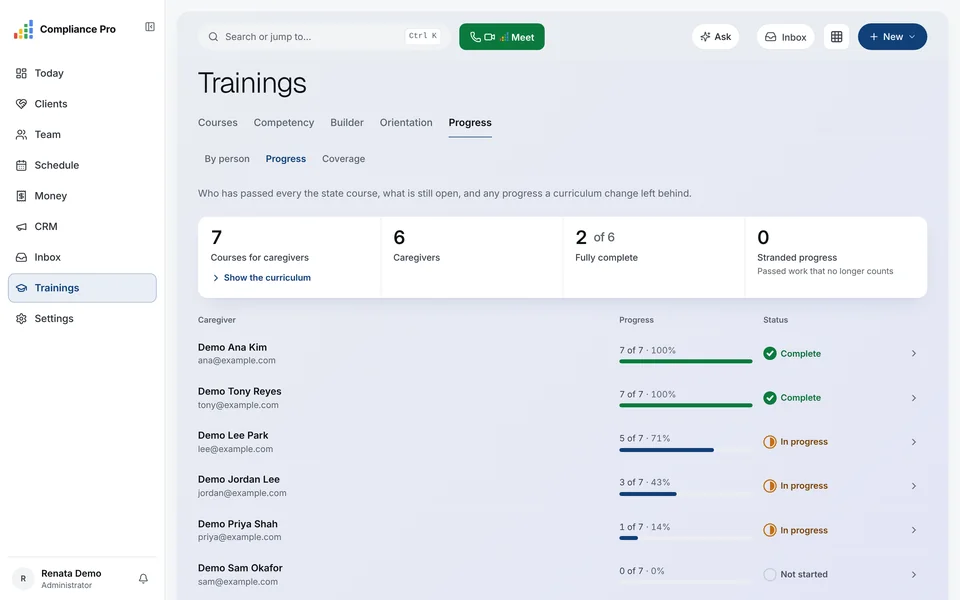
245D staff
Screenshot from the app, demo data.
Screenshot from the app, demo data.
Screens from the Compliance Pro app, with demo data. Every name is made up.
Who uses it
Each person sees their part
Caregivers
Take short lessons and knowledge checks on their phone.
Nurse supervisors
Sign training certificates where the state asks for a nurse’s signature.
Office staff
See who has finished, who is behind and what expires next.
The rule it helps you meet
Training before work, and every year
Each state sets the training staff need. For example, Minnesota 245D staff complete orientation within 60 days of hire, some training before any unsupervised contact, and training every year. Your courses are set up to your state’s rules.
Compliance Pro is software. Your agency stays responsible for meeting the rules, and your state’s own rules apply.
Everything it does
Training, in detail
- Ready-made courses are included: lessons, quizzes and video.
- Each course has its own passing score, such as 80%, or 100% where every answer must be right.
- Courses are matched to each person’s role and state, with an annual refresher.
- Your own training material, turned into a course with lessons and a quiz by our team.
- Results per person: best score, attempts and the final exam.
- A Certificate of Completion for each learner: your logo, the course, hours, date and a unique certificate ID, signed with Compliance Pro certified signatures and kept in their file.
- A knowledge library next to the modules for looking things up later.
- Course progress and results on each person’s profile.
- Reset one module, or the whole course, for a person.
Questions
Can caregivers train on a phone?
Yes. Training is built for phone screens.
Can we add our own courses?
Yes. Our team sets up your courses, and the training builder can turn your material into lessons and checks.
What score passes?
Each course has its own passing score, such as 80%, or 100% for a course where every answer must be right. The final exam’s passing score is set for your state, 80% unless it says otherwise.
What does the certificate show?
Your logo and name, the course, the hours, the date, the modules completed and a unique certificate ID, with Compliance Pro certified signatures that can be verified.
What does a reviewer see?
Each person’s scores, attempts, completion date and certificate.