
Features
Ask once, fill everywhere
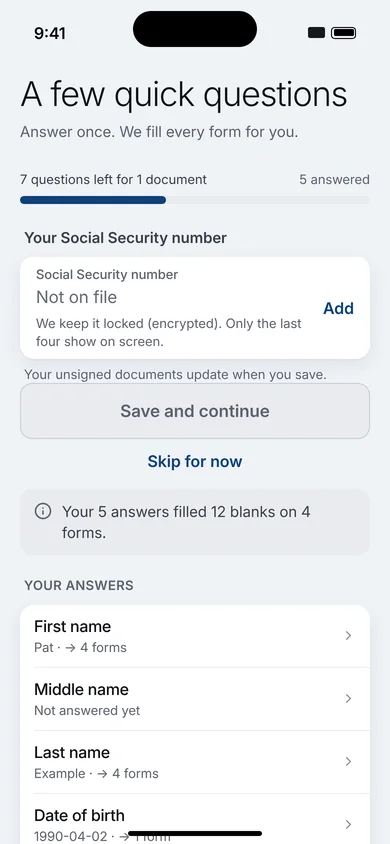
Every form fills itself. People answer short, plain questions one time, and every packet and state form opens already filled in.
Who uses it
Caregivers, Office staff, Nurses, Clients and families
The problem it solves
The same answers, typed again on every form.
A new caregiver writes their name, address and date of birth on the application, then again on the tax form, the emergency contact form and the direct deposit form. A new client’s Medicaid ID, physician and guardian go on the service agreement, the care plan and every state form. Each copy is another chance for a typo, and another form a reviewer can find that doesn’t match the others.
- Each question is asked once, in plain words
- Every form opens already filled in
- Signed documents never change
How it works
Ask once. Every form fills itself.
Each packet shows how many questions fill how many fields, across how many documents, so you can see the typing it saves before you send it.
Answer once
Every form opens already filled in
Every onboarding packet, client intake packet and state form opens with those answers in place, marked “Filled from your answers”. Each field can still be edited before signing.
Change an answer once
A new address or a new emergency contact is changed in one place, and every document that isn’t signed yet updates. Signed documents never change, so what someone signed stays exactly as they signed it.
Screens from the Compliance Pro app, with demo data. Every name is made up.
Screens
How it looks
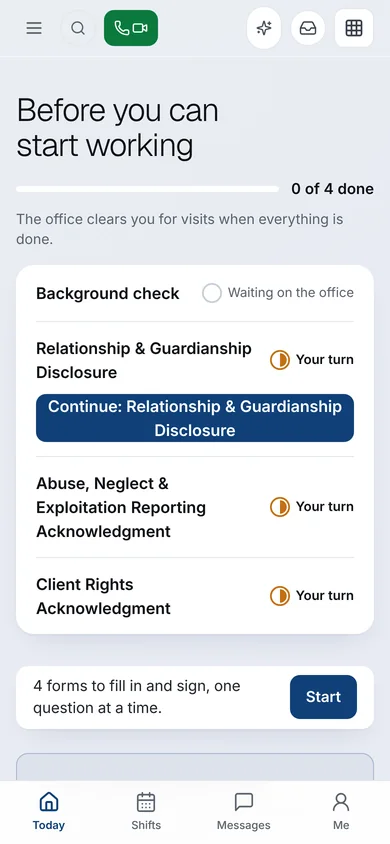
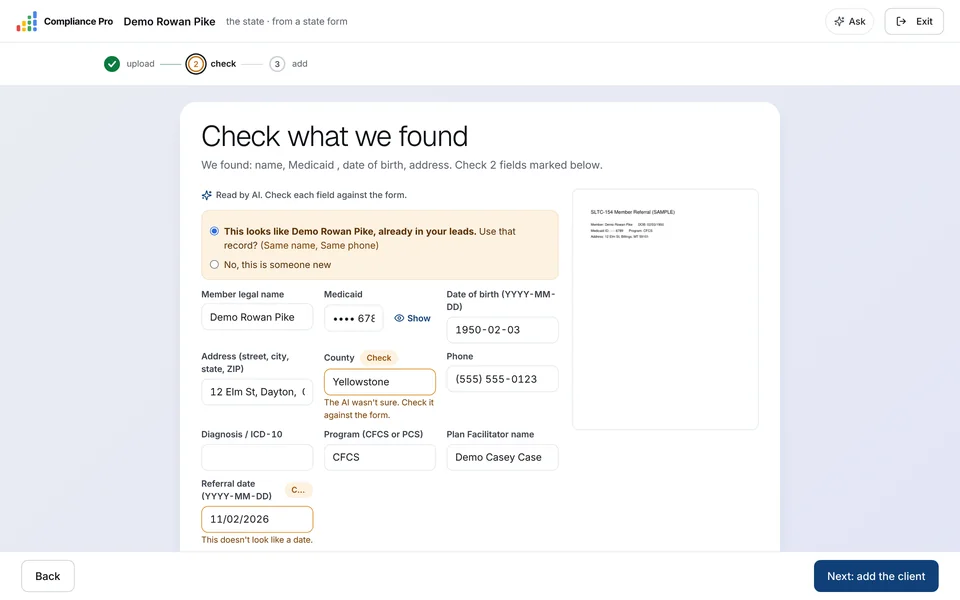
Drawn screens, with demo data. Every name is made up.
Private by design
Asked once, kept safe
Sensitive numbers stay encrypted
Social Security numbers and Medicaid IDs are encrypted when they’re saved, and masked on screen.
Signed means signed
Changing an answer updates documents that aren’t signed yet. A signed document is never changed.
AI suggests, a person decides
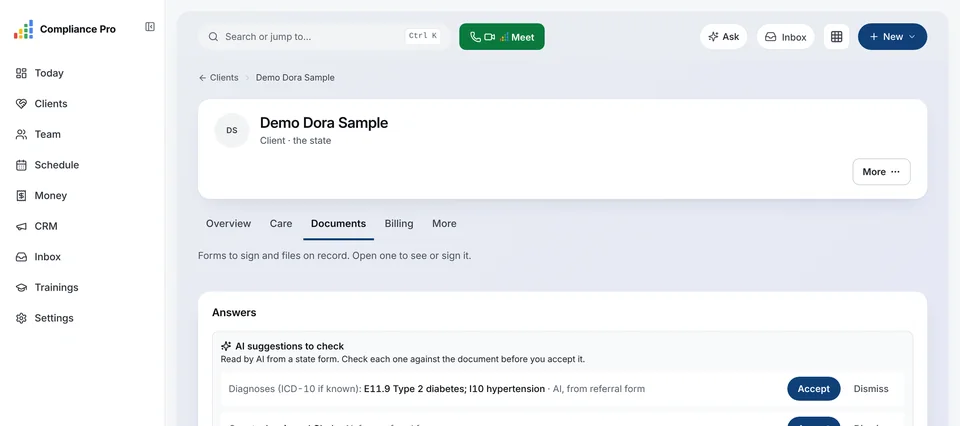
Answers read from an intake form are labelled as AI suggestions, and nothing fills a form until someone on your team confirms it.
Every change on the record
Changes to answers are kept in the audit log, with who made them and when.
Who uses it
Each person sees their part
Caregivers
Answer a few short questions on their phone, then review and sign forms that are already filled in, instead of writing the same things over and over.
Office staff
Send packets that open filled in, confirm what AI read from intake forms, and fix a wrong answer once instead of on every form.
Nurses
Open assessments and visit forms with the client’s name, date of birth, physician and Medicaid ID already in place.
Clients and families
Answer the intake questions once, and sign agreements that already show their details and their guardian’s.
The rule it helps you meet
Records that agree with each other, with sensitive numbers protected
Reviewers check that a person’s details match across their file. Answering once keeps them the same on every form. Social Security numbers and Medicaid IDs are encrypted and masked, and each form gets only the details it asks for.
- HIPAA Security Rule, encryption (45 CFR 164.312(a)(2)(iv))
- HIPAA Privacy Rule, minimum necessary (45 CFR 164.502(b))
- HIPAA Security Rule, audit controls (45 CFR 164.312(b))
Compliance Pro is software. Your agency stays responsible for meeting the rules, and your state’s own rules apply.
Everything it does
Ask once, fill everywhere, in detail
- Caregivers, clients and the office answer short, plain questions once: legal name, date of birth, address, emergency contact, Medicaid ID, physician, guardian, start date and more.
- Every onboarding packet, client intake packet and state form opens already filled in from those answers, marked “Filled from your answers”.
- Every filled field can still be edited before signing.
- Change an answer and every unsigned document updates. Signed documents never change.
- AI reads the state referral and assessment forms you upload at intake and suggests answers. A person confirms each one before it fills anything.
- Each packet shows how many questions fill how many fields, across how many documents.
- Social Security numbers and Medicaid IDs stay encrypted and are masked on screen.
Questions
Which questions are asked once?
The ones that repeat across forms: legal name, date of birth, address, phone, emergency contact, Medicaid ID, physician, guardian, start date and more. Each one is asked in plain words, one time.
Can we still change what’s on a form?
Yes. Every field filled from an answer is marked “Filled from your answers” and can be edited before the document is signed.
What happens when someone changes an answer?
Every document that isn’t signed yet updates. Signed documents never change.
Does it work with our state’s forms?
Yes. Your state forms and your own forms in each packet fill from the same answers. We set up your packets with you before staff are invited.
Does AI fill in our forms on its own?
No. When AI reads an uploaded referral or assessment form, its answers show as suggestions. Someone on your team confirms each one before it fills anything.
Are Social Security numbers and Medicaid IDs safe?
Yes. They’re encrypted when saved and masked on screen, and changes are kept in the audit log.