AI
AI that works behind the scenes
It does the sorting, ranking and rewording, so your team can spend its time on care. Every AI result is a suggestion. A person on your team reviews it before anything changes.
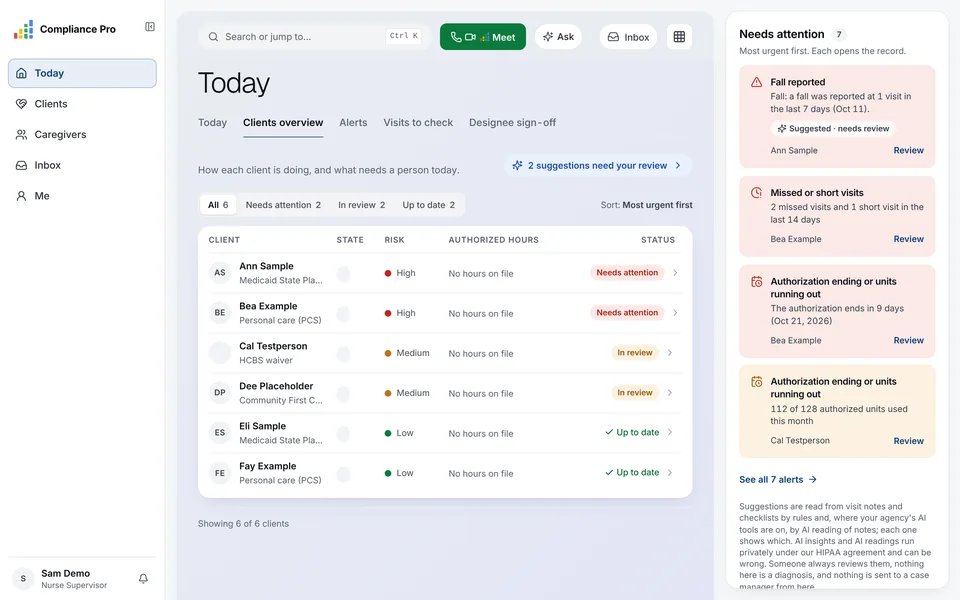
Care alerts
Compliance Pro compares what caregivers record with each client’s own usual: eating, mood, mobility, sleep, refused meals or medications, care tasks not done, falls and missed visits. Where your agency turns it on, AI reads caregivers’ notes in their own words, so a change written in a note counts too. The rule-based checks always run.
- A change from the client’s own usual
- Caregivers’ notes, in their own words
- Falls and missed visits
- A draft update for the case manager
Who decides: A nurse reviews every alert and decides what happens next. An alert says what was recorded and how often; it is never a diagnosis.
AI Scheduler
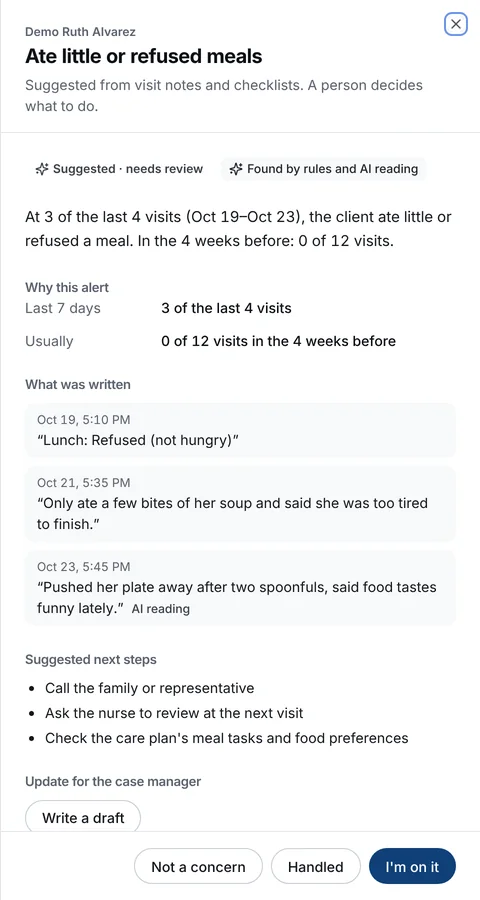
When a shift opens, Compliance Pro ranks the caregivers who could take it, weighing availability, distance, overtime, credentials and whether they already know the client. When a caregiver can’t make a shift, it builds the cover shortlist for you.
- Availability and distance
- Overtime and cost
- Required credentials
- Continuity with the client
- A cover shortlist when someone can’t make it
Who decides: Your office approves every assignment and every cover.
AI form setup
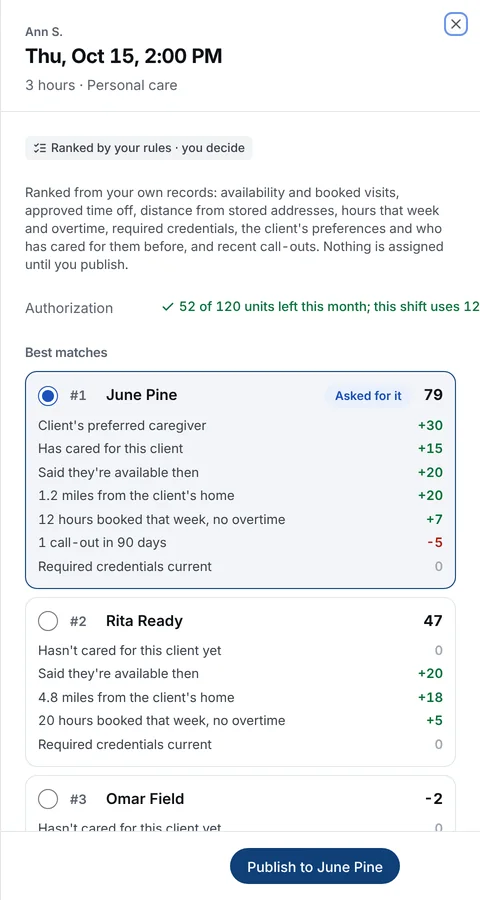
During setup, upload the forms you already use. AI names each one, matches it to the requirement it covers for your state and services, and flags any requirement no form covers yet.
- Each form named
- Matched to your state’s requirements
- Missing forms flagged
Who decides: Your team checks every match before the forms go live.
Medicaid eligibility checks
Compliance Pro checks every client’s Medicaid eligibility automatically, weekly and monthly, and again before each claim. A change report shows who lost coverage, switched plans or has coverage ending soon.
- Weekly and monthly checks
- A check before every claim
- An eligibility changes report
- Coverage history on each client
Who decides: Your office reviews the changes report and fixes coverage before billing.
AI Notes Writing
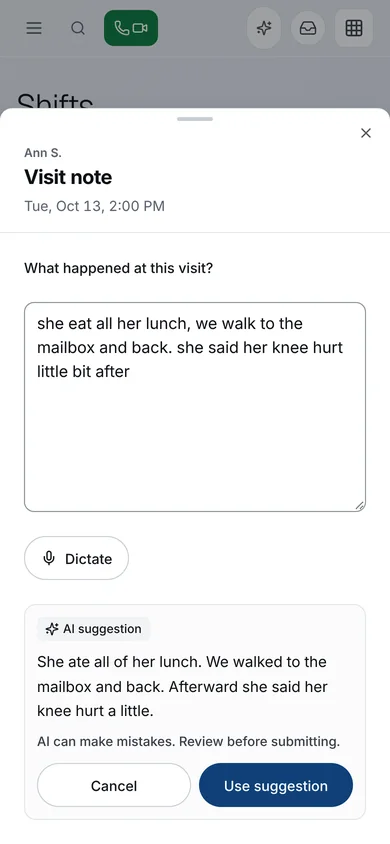
Caregivers dictate their note on the phone, and AI suggests cleaner wording.
- Dictate instead of type
- Cleaner wording suggested
- Edit before saving
Who decides: The caregiver reviews the note and submits it themselves.
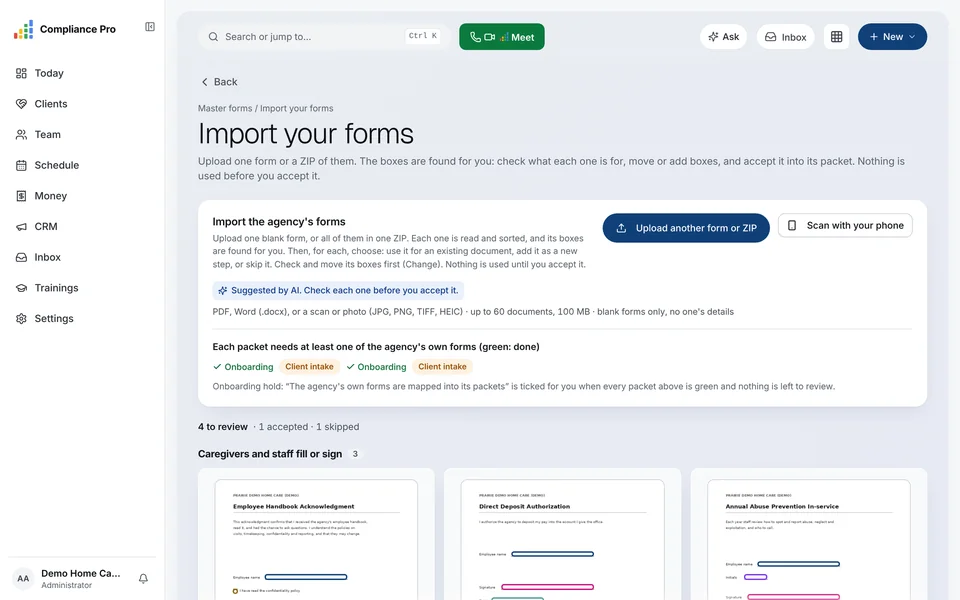
Clients overview
One simple screen of your clients, each with a risk dot and their progress, next to an alerts panel.
Alerts
- Falls
- Change in condition
- Missed or short visits
- Nurse visit due
- Authorization ending or units running out
- Caregiver credential expiring
Who decides: Alerts point your team to what needs a look; they decide what to do.