
Features
Ava, your AI assistant
An AI assistant with a name your agency picks. It answers questions about the app, takes the jobs you hand it, and sends your texts and alerts.
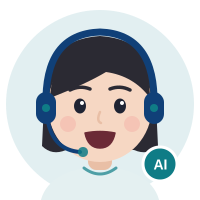
Each agency names its assistant; Ava is the default.
Who uses it
Office staff, Admins, Caregivers and staff
The problem it solves
The office spends its day reminding people.
Someone has to remind the caregiver about the expiring CPR card, chase the family for the signed agreement, text the team about tomorrow’s open shift and answer “where do I find…” for the fifth time. Each one is small, and together they fill the day.
- Ask it about the app, in plain words
- Hand it the follow-ups
- It asks before it sends to a group
How it works
Name it, ask it, hand it the follow-ups
Name your assistant
Pick its name, its face and how it talks: friendly, professional or brief. It’s Ava until you change it.
Ask it about the app
Ask how to do something, in your own words. It answers and takes you to the right screen.
Give it a job
Ask it to remind someone, or to chase a missing document until it comes in. It keeps at it and tells you when it’s done.
It texts and sends your alerts
It texts staff, clients and families from your agency’s own number, and sends the alerts you chose. Before it sends anything to a group, it asks you first.
Always clear
Always AI, and you stay in charge
Always labelled AI
Its name always shows with “AI assistant”, and it never says it’s a person.
Asks before a group send
Anything going to more than one person waits for your OK.
Only what it needs
Texts carry the reminder and a link, never a client’s health details.
Who uses it
Each person sees their part
Office staff
Hand off reminders and paperwork chasing, and get answers about the app without searching.
Admins
Name the assistant, pick its face and tone, and choose what it may send.
Caregivers and staff
Get reminders from your agency’s own number, and ask the assistant how to do something.
The rule it helps you meet
Share only what’s needed
Reminders and texts carry only what the person needs to act: what’s due and a link. Client health details stay in the app.
- HIPAA Privacy Rule, minimum necessary (45 CFR 164.502(b))
- HIPAA Privacy Rule, business associate contracts (45 CFR 164.504(e))
Compliance Pro is software. Your agency stays responsible for meeting the rules, and your state’s own rules apply.
Everything it does
Ava, your AI assistant, in detail
- Each agency names its own assistant and picks its face. It’s Ava until you change it.
- Ask it anything about the app, and it takes you to the right screen.
- Give it jobs: remind someone, chase missing paperwork, follow up until it’s done.
- It texts staff, clients and families from your agency’s own number.
- It sends the alerts you choose, to the people you choose.
- It asks you before it sends anything to a group.
- It is always labelled AI, and never says it’s a person.
Questions
Can we change its name?
Yes. Each agency names its own assistant and picks its face and tone. It’s Ava until you change it.
Will people know it’s AI?
Yes. It is always labelled AI and never says it’s a person.
Can it message a whole group by itself?
No. It asks you before it sends anything to a group.
Which number do texts come from?
Your agency’s own number.