
Features
AI calling
An AI assistant calls your caregivers when a shift or its paperwork needs them, and answers your agency’s phone.
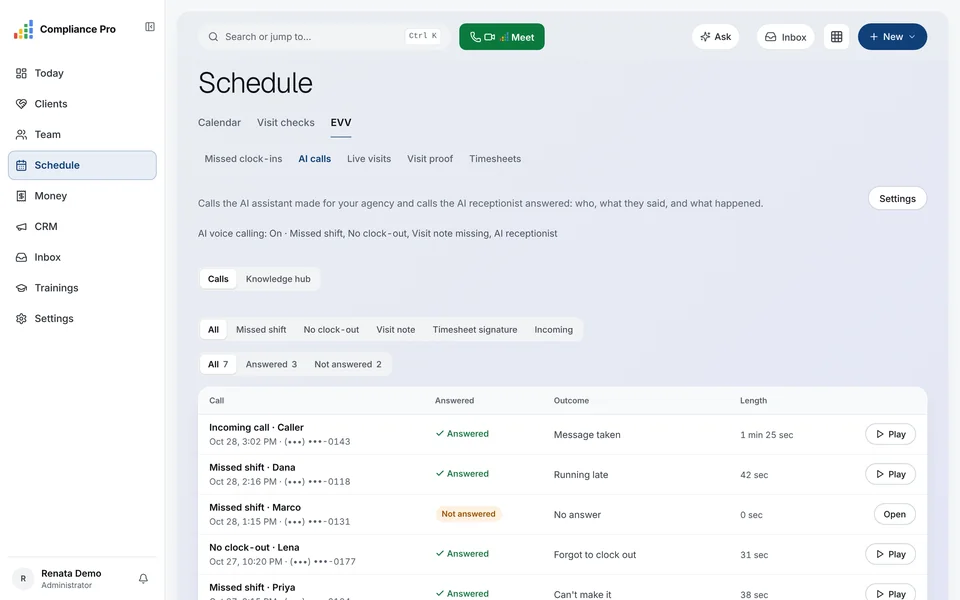
Screenshot from the app, demo data.
Who uses it
Caregivers, Coordinators, Office staff, Admins
The problem it solves
A late caregiver is usually found out by an upset family.
A visit starts at 9. Nobody clocks in. The coordinator is on another call, the caregiver is stuck in traffic or sick in bed, and the office only hears about it when the family calls. The same happens with forgotten clock-outs, notes that never get written and timesheets left unsigned, and with calls to your office line after hours.
- Every missed clock-in gets a call 15 minutes after the visit starts
- A caregiver who can’t make it opens the shift on the call, and the coordinator is alerted
- Your phone is answered day and night
How it works
From a missed clock-in to a covered shift
You choose which calls the assistant makes and what it says. Every call is listed in Scheduling › AI calls, with the recording and the transcript.
Scheduling › AI calls
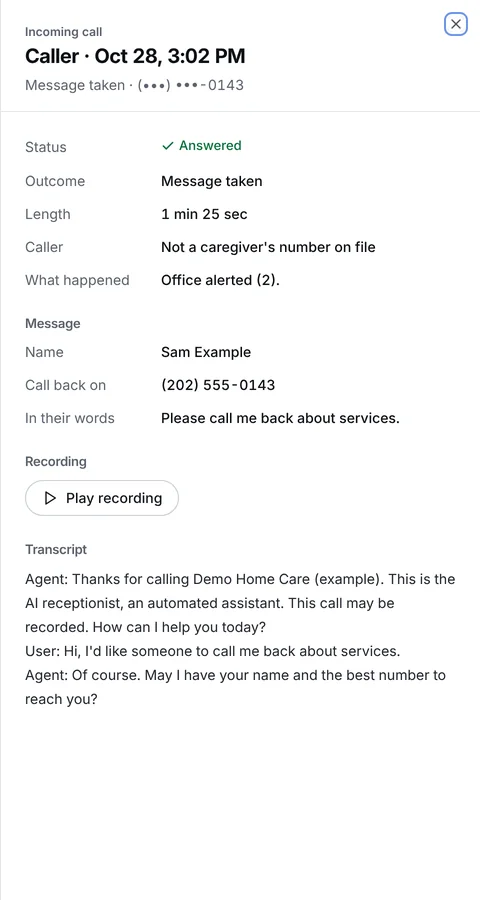
Screenshot from the app, demo data.
Scheduling › AI calls
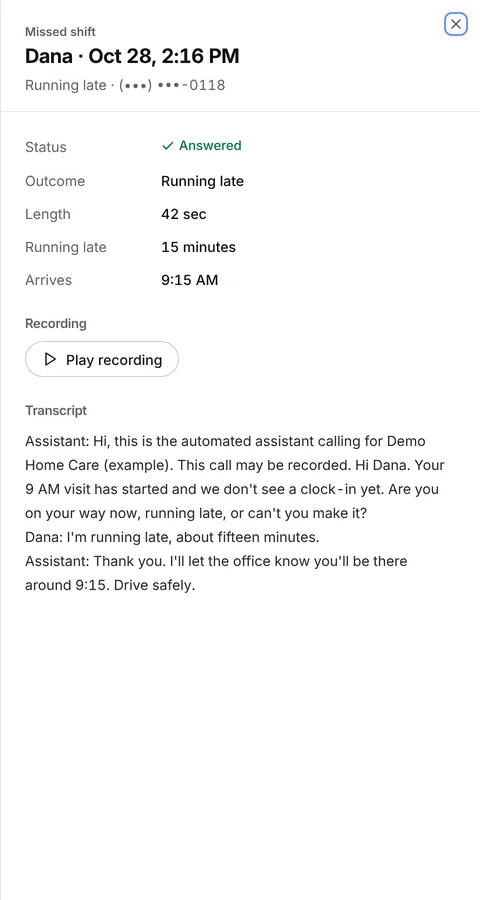
Screenshot from the app, demo data.
Scheduling › AI calls
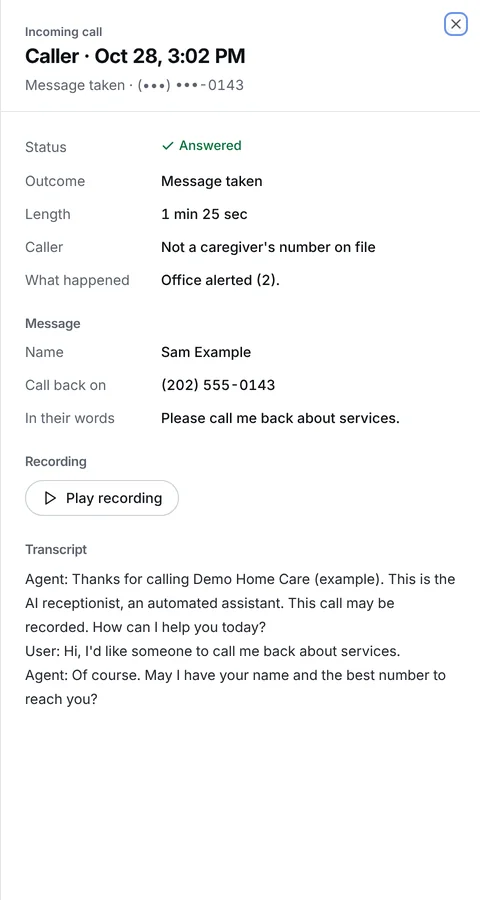
Screenshot from the app, demo data.
Settings › AI voice calling
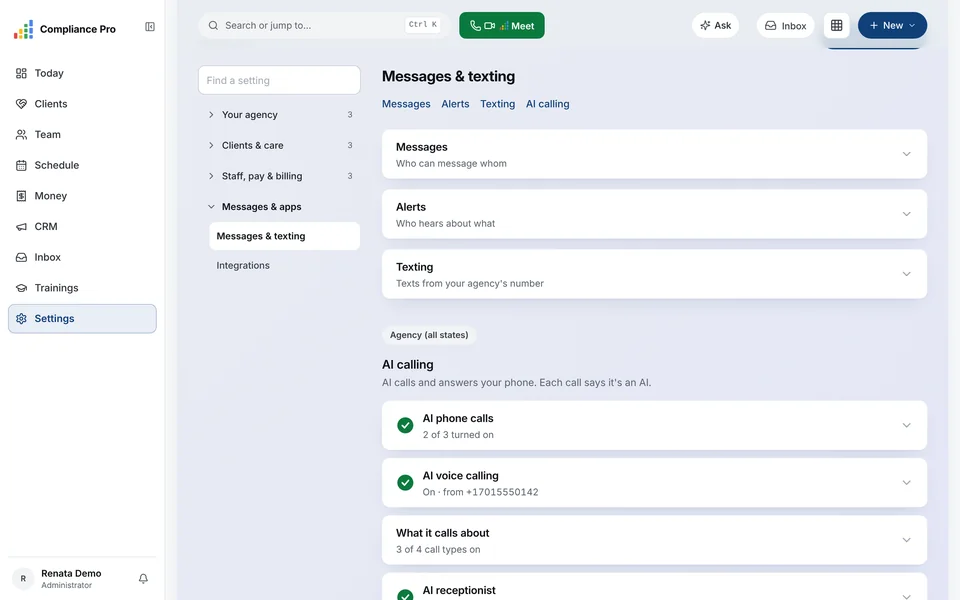
Screenshot from the app, demo data.
Settings › AI voice calling
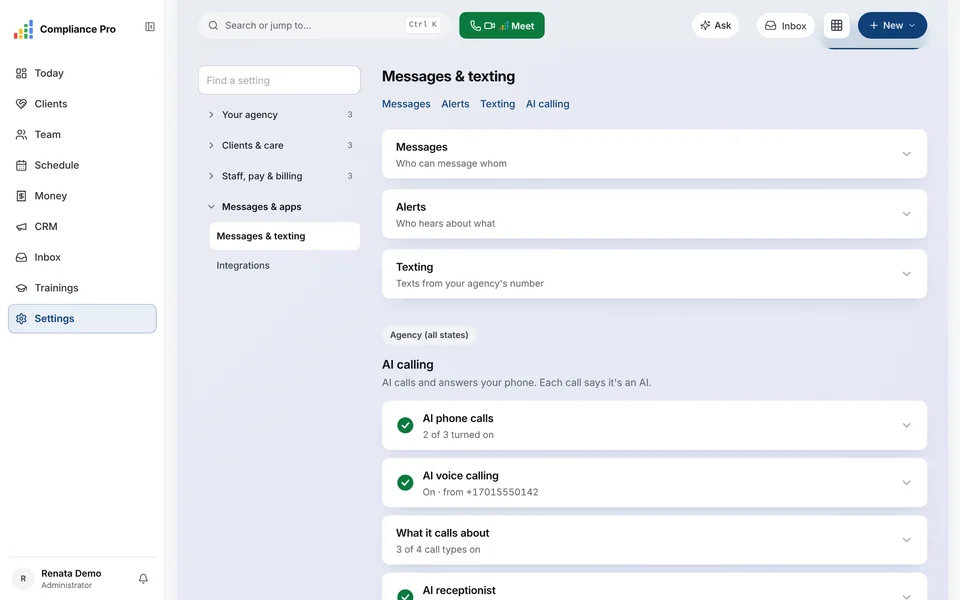
Screenshot from the app, demo data.
Scheduling › AI calls
Screenshot from the app, demo data.
Screens from the Compliance Pro app, with demo data. Every name is made up.
Private by design
Calls about the shift, never about the client
Calls never mention the client
The assistant talks about the shift time and the paperwork. It never says a client’s name, address or health details.
Always says it’s automated
Every call starts by saying it’s an automated assistant for your agency, and that the call may be recorded when recording is on.
Covered by a Business Associate Agreement
The voice service that places and answers the calls works under a signed HIPAA Business Associate Agreement with us.
A person stays in charge
The assistant opens a shift and tells the coordinator. Your office decides who covers it and calls back anyone who left a message.
Who uses it
Each person sees their part
Caregivers
Get a short call when a shift or its paperwork needs them, answer in their own words, and can call the office line any time to call off or say they’re late.
Coordinators
Hear about late caregivers and open shifts right after the call, and see every call in Scheduling › AI calls.
Office staff
Pick up messages the receptionist took, and call back new callers who asked about services.
Admins
Turn each kind of call on or off, edit what the assistant says, and choose recording and the on-call phone.
The rule it helps you meet
Share only what’s needed, with a signed agreement in place
Calls carry only what the caregiver needs to act on: the shift time or the paperwork that’s due, never the client. The voice service works under a signed Business Associate Agreement, and every call is kept with its recording and transcript.
- HIPAA Privacy Rule, minimum necessary (45 CFR 164.502(b))
- HIPAA Privacy Rule, business associate contracts (45 CFR 164.504(e))
Compliance Pro is software. Your agency stays responsible for meeting the rules, and your state’s own rules apply.
Everything it does
AI calling, in detail
- Missed shift calls: when a caregiver hasn’t clocked in 15 minutes after the visit starts, the assistant calls and asks whether they’re on the way, running late or can’t make it.
- “Can’t make it” opens the shift and alerts the coordinator.
- No clock-out calls, and documentation calls when a visit note or a timesheet signature is missing.
- An AI receptionist answers your agency’s phone, day and night: caregivers call off or say they’re late, families and others leave a message, urgent calls go to your on-call phone, and new callers hear about your services and are offered an intake callback.
- You turn each kind of call on or off and edit what the assistant says.
- Every call shows in Scheduling › AI calls, with the recording and the transcript.
- Calls never mention the client. The assistant always says it’s automated, and says the call may be recorded when recording is on.
Questions
What does it cost?
AI calls are pay as you go, with no monthly fee: 25¢ a minute, your first 30 minutes are free (one time), and a monthly spending limit you set that the app never goes over. Or the bundle: $99 a month for 500 minutes, then 20¢ a minute.
Will caregivers know it’s not a person?
Yes. Every call starts by saying it’s an automated assistant for your agency, and says the call may be recorded when recording is on.
Does the assistant talk about the client?
No. Calls never mention the client. The assistant talks about the shift time and the paperwork that’s due.
What happens when a caregiver can’t make it?
The assistant opens the shift and alerts the coordinator right away. The coordinator decides who covers it.
Can we change what it says?
Yes. You turn each kind of call on or off, and edit what the assistant says first and what it does with each answer.
Does the receptionist work after hours?
Yes. It answers your agency’s phone day and night. Urgent calls go to your on-call phone, and everyone else can leave a message for the office.
Is it covered by HIPAA?
Yes. The voice service that places and answers the calls is covered by a Business Associate Agreement with us. Recordings and transcripts are encrypted, and only your office can open them.