
Features
EVV
Electronic visit verification, as required for Medicaid personal care services under Section 12006 of the 21st Century Cures Act.
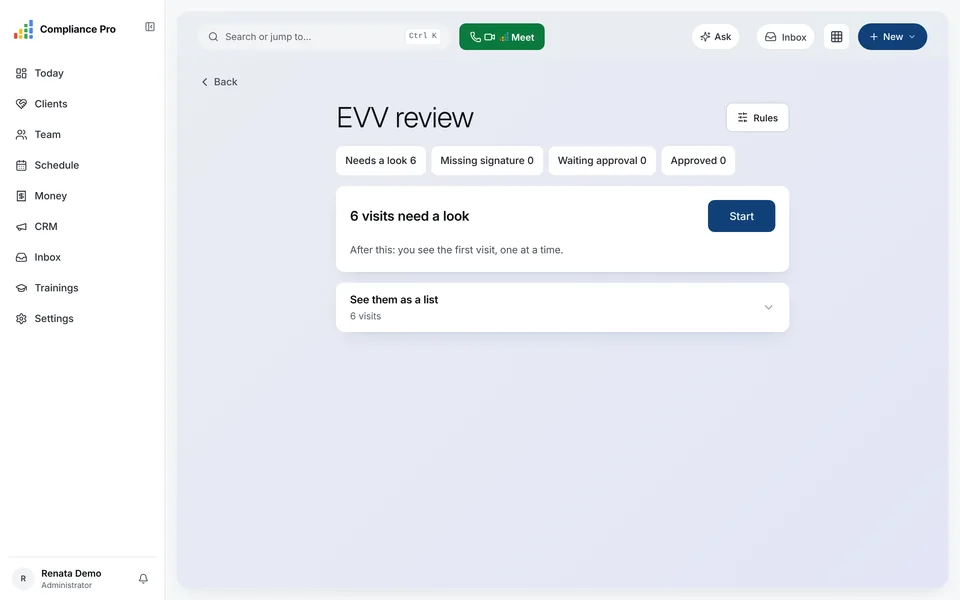
Screenshot from the app, demo data.
Who uses it
Caregivers, Office staff, Admins
The problem it solves
If a visit isn’t verified, you can’t bill it.
Federal law requires electronic visit verification for Medicaid personal care and home health visits, and every state sends EVV data to its own system. A missed clock-out, a visit outside the schedule or a caregiver the state doesn’t know about becomes a claim you can’t send, and you find out weeks later.
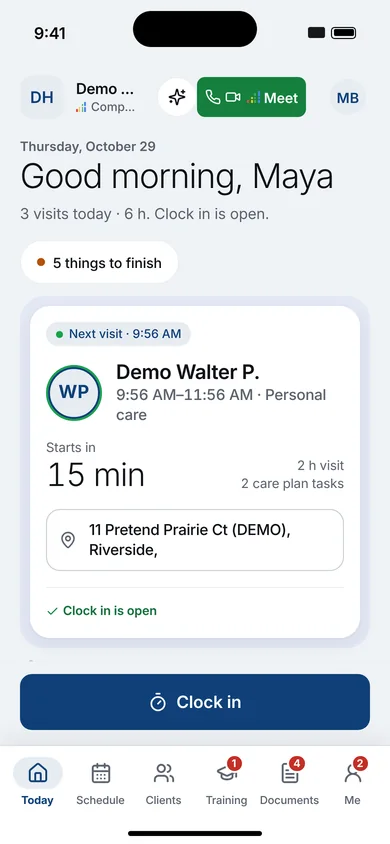
- Caregivers clock in and out on their phone, with location
- Problems show up the same day, with the fix next to them
- Built-in EVV for every state, with verified visits sent to your state’s system where the connection is live
How it works
A verified visit, from clock-in to the state
Phone app
Or in the browser
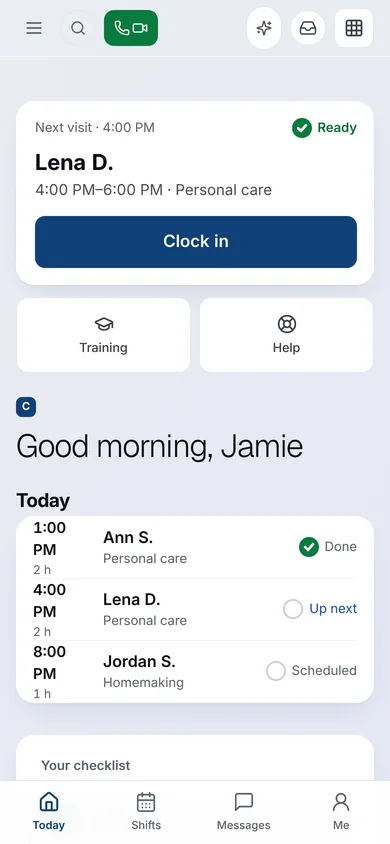
Screenshot from the app, demo data.
During the visit
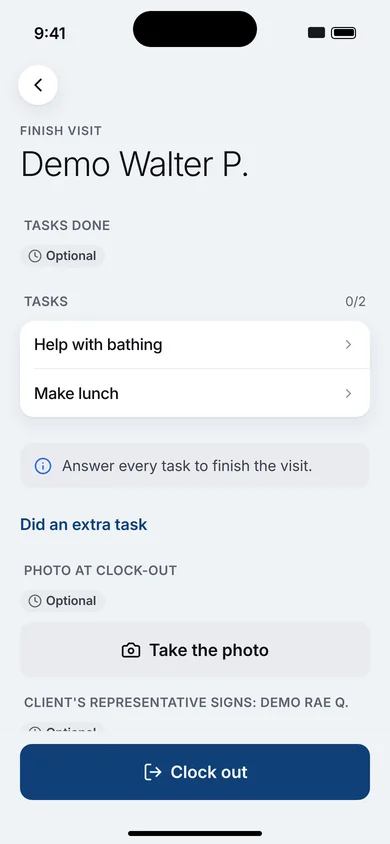
Clock out
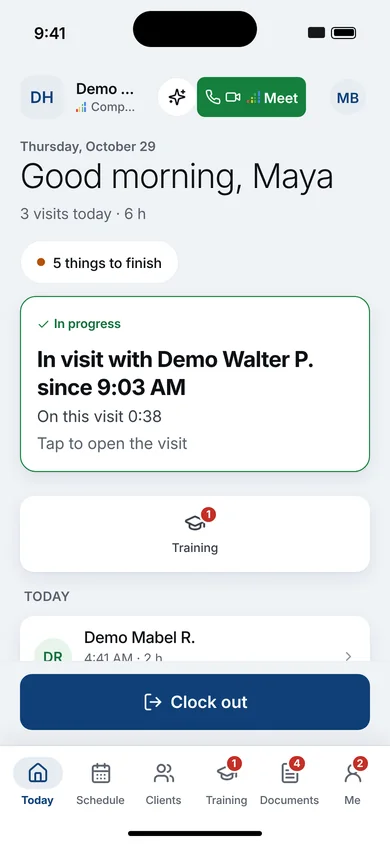
Screenshot from the app, demo data.
Screenshot from the app, demo data.
Screens from the Compliance Pro app, with demo data. Every name is made up.
Screens
How it looks
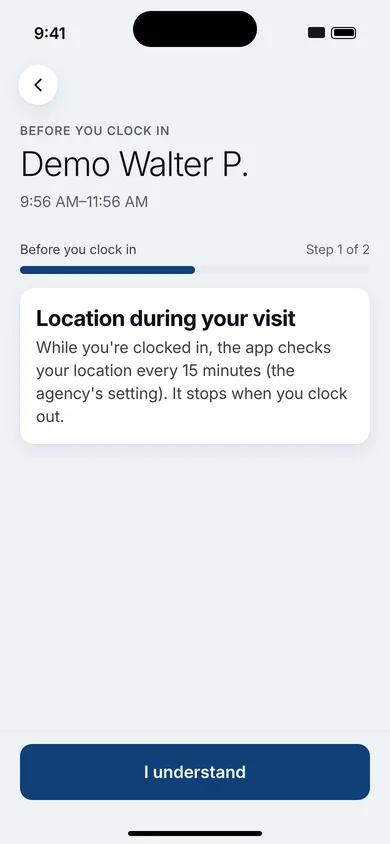
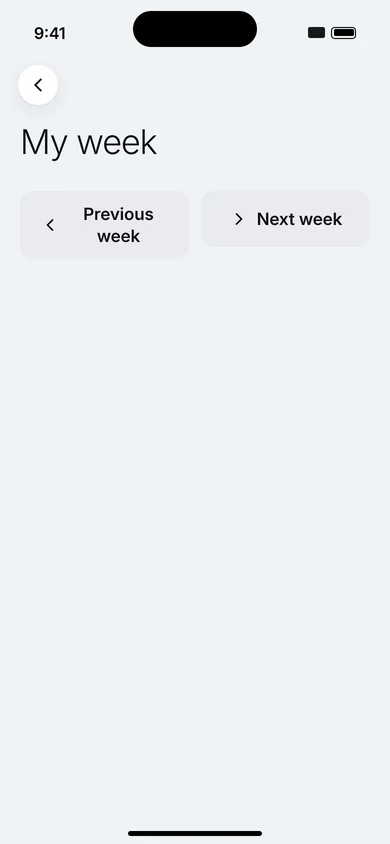
Screens from the app, with demo data. Every name is made up.
What EVV records
The six items the law requires
Section 12006 of the 21st Century Cures Act lists what an EVV system must verify for each visit. Compliance Pro records all six at clock-in and clock-out.
- 1
Type of service
The service on the client’s authorization, such as personal care or homemaker.
- 2
Who received it
The client the visit was for.
- 3
Date of service
The day the visit happened.
- 4
Location
Where the visit happened, from the phone’s location at clock-in and clock-out.
- 5
Who provided it
The caregiver who clocked in, signed in with their own login.
- 6
Start and end time
The exact clock-in and clock-out times.
Works with
EVV for every state
EVV for every state: built-in GPS clock-in and out and visit verification on every visit. Where your state’s EVV system takes visits from us, we connect your agency during setup and register your caregivers where the state asks for it. More state systems are added as agencies join; ask us where yours stands before you rely on it.
- GPS clock-in and out
- Visit verification
- Your state’s EVV system
Who uses it
Each person sees their part
Caregivers
Clock in and out on their phone, see the care plan and tick off tasks.
Office staff
Work the exceptions list each day, fix punches with a reason, and resend what the state rejected.
Admins
Set up the state connection, the exception rules and which caregivers are registered with the state.
The rule it helps you meet
EVV for Medicaid personal care and home health
States must require electronic visit verification for Medicaid personal care services (since 2020) and home health services (since 2023). The system must verify the type of service, the person receiving it, the date, the location, the person providing it and the start and end times. Each state decides how agencies send the data.
Compliance Pro is software. Your agency stays responsible for meeting the rules, and your state’s own rules apply.
Everything it does
EVV, in detail
- Visit check-in and check-out that records the six items the law requires.
- Built-in EVV for every state, with visit data sent to your state’s EVV system where the connection is live and more state systems added as agencies join. See the EVV page.
- A caregiver without the app can check in and out from the browser, with location.
- EVV exceptions grouped as rejected by the state, punch not sent, unscheduled and other, with how long each has been open.
- Every fix keeps the old value, the new value, the reason and who made it.
Questions
What if a caregiver forgets to clock out?
The visit shows on EVV exceptions. The office enters the right time and picks a reason, and the change is kept with who made it.
Does the caregiver need a smartphone?
They can use the phone app or check in from a browser. Location is asked for either way.
Who sees the caregiver’s location?
Only the office. It’s checked against the client’s address and kept with the visit.
Does my state allow a third-party EVV system?
Most do. Some states require their own system. Our EVV by state page shows each state’s setup and its official source.
What does the caregiver registration step do?
Some states need each caregiver registered before their visits are accepted. We send the registration for you and show who isn’t registered yet, so a rejection doesn’t catch you out.