
Features
Medicaid billing and claims tracking
Claims built from verified visits, and denials explained in plain English.
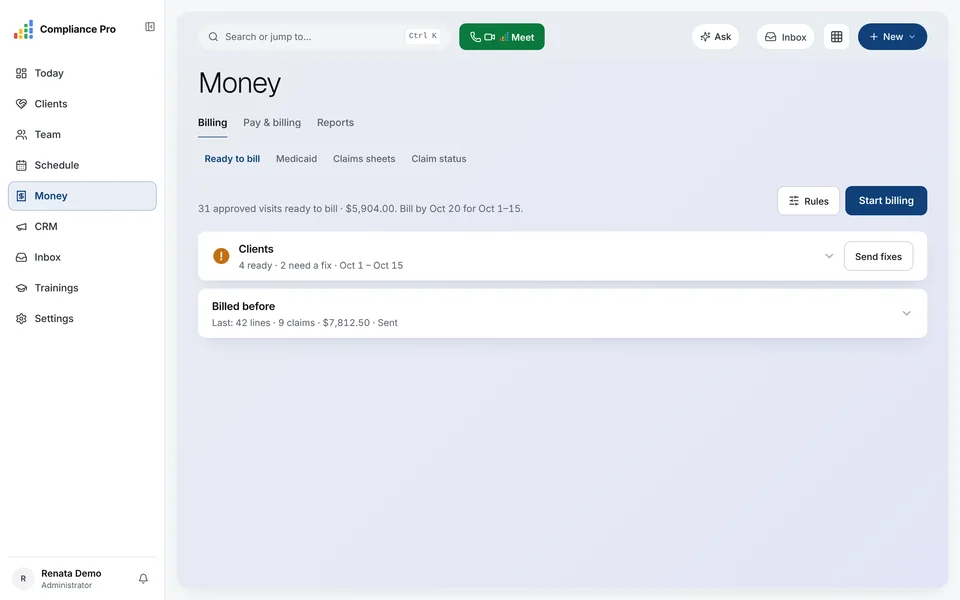
Screenshot from the app, demo data.
Who uses it
Billers, Office staff, Caregivers and staff, Owners
The problem it solves
Claims get denied for things you could have caught before you sent them.
A visit with no authorization behind it, a note that was never signed, a unit count over the weekly limit: each one is a denial, a rebill and weeks of waiting. Most agencies find out from the payment file, long after the visit, and then have to work out what the payer’s code means.
- A readiness check on every claim line before you bill
- One button to bill what’s ready
- Payments, denials and takebacks explained in plain words
How it works
From verified visits to payments, without the spreadsheets
Screenshot from the app, demo data.
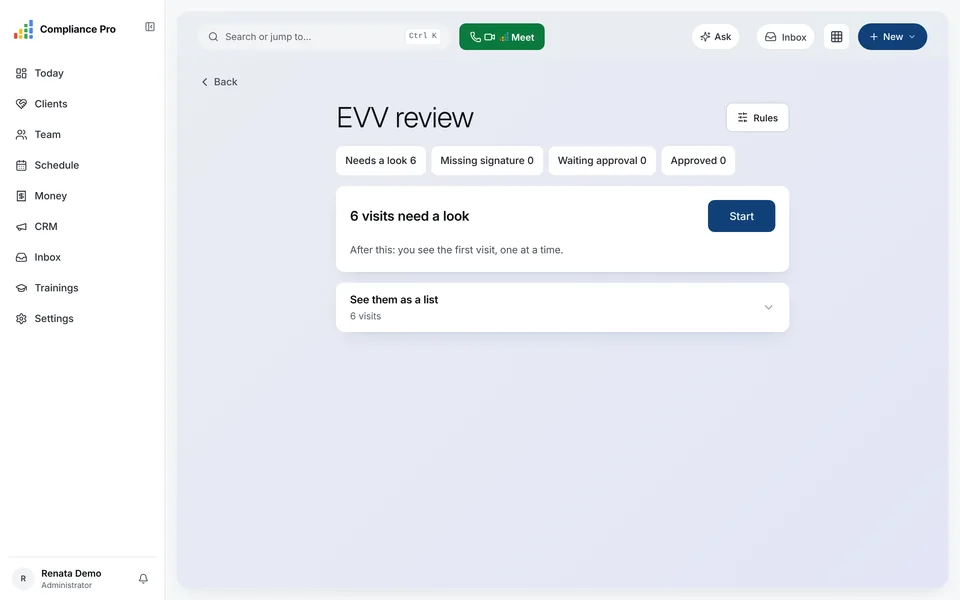
Screenshot from the app, demo data.
Before signing a note
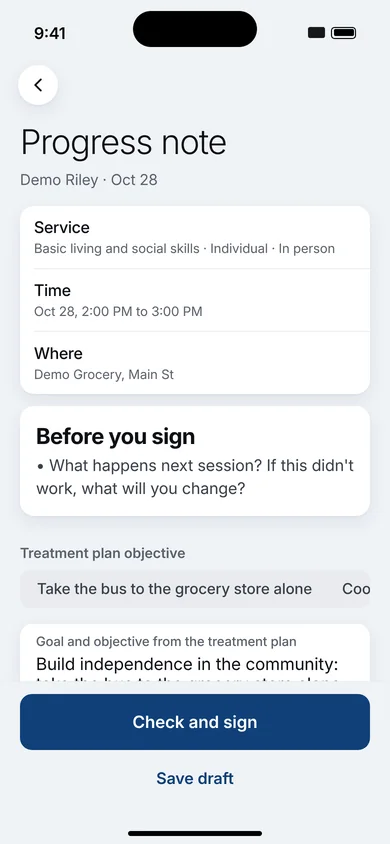
One-button billing, with a readiness check
On your billing dates, Ready to bill lists every claim line with its check: authorization, units left this week, verified visit, signed note, rate. Ready lines are billed with one button. Anything that isn’t ready says why and goes to a fix list with the person who can fix it.
Claim status and payments, read back for you
Claim acknowledgments and status come back into the app. 835 payment files are posted to each claim: paid, adjusted or denied, with the amount and the date.
Denials explained, takebacks handled
Each denial shows the payer’s code with a plain-words explanation and what to do next. When you find you were overpaid, a voluntary takeback voids or replaces the claim, and accounting by payer shows what is owed, paid and aging.
Screens from the Compliance Pro app, with demo data. Every name is made up.
Payroll exports
Hours out to payroll, in your provider’s own file
The same verified visits become payroll hours. Each pay period, Compliance Pro builds the exact file your payroll provider imports, with regular and overtime hours, travel and mileage. It checks before you export, and lists visits it left out and why.
QuickBooks
An hours sheet for QuickBooks Online, or an IIF file for QuickBooks Desktop.
Gusto
A CSV for Gusto’s Smart Import.
ADP
ADP RUN and ADP Workforce Now.
Paychex
A Standard Payroll Import file for Paychex Flex.
Paylocity
A pay entry import file.
And more
Paycom, Rippling, or a generic CSV or Excel file.
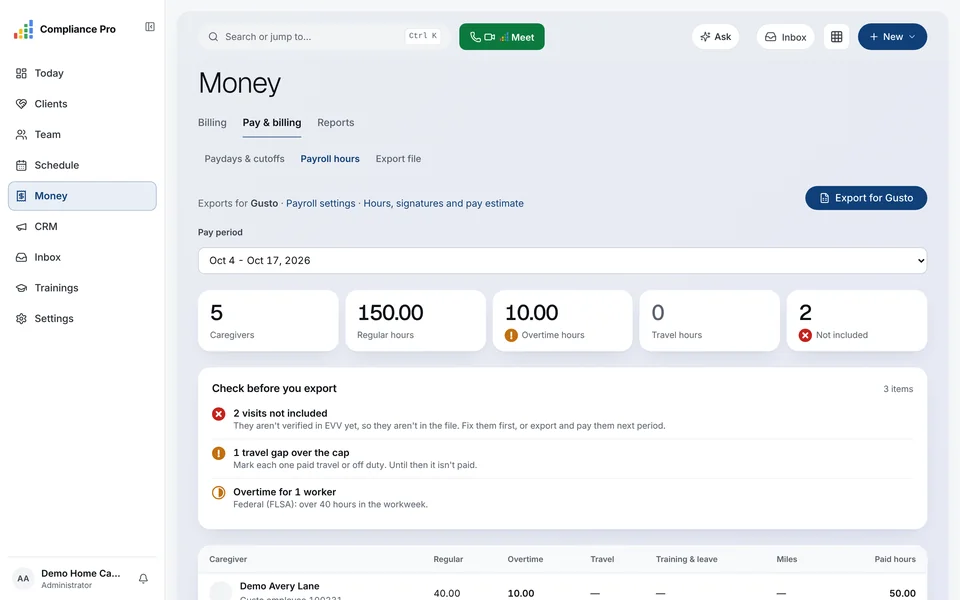
Payroll hours, checked before you export. Screenshot from the app, demo data.
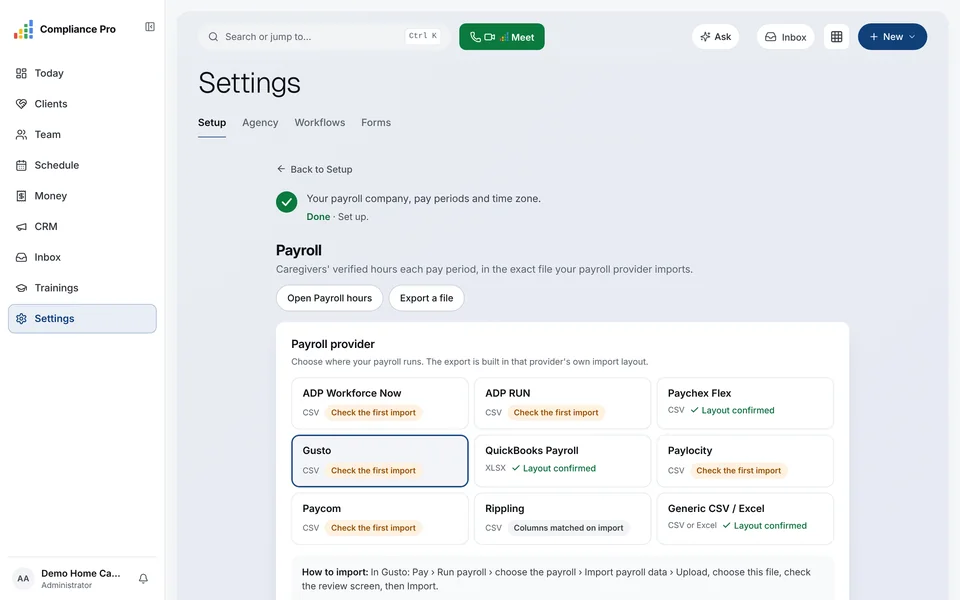
Pick your payroll provider once. Screenshot from the app, demo data.
- Only verified visits are paid as worked hours
- Overtime over 40 hours in the workweek is flagged (FLSA)
- Visits left out are listed with the reason, never dropped silently
Who uses it
Each person sees their part
Billers
Bill what’s ready on your billing dates, post payments, work denials and send takebacks.
Office staff
Keep authorizations current and fix what the readiness check sends them.
Caregivers and staff
Clock in and out and sign complete notes, so their visits are billable.
Owners
See what’s owed, paid and aging by payer. Or hand billing to our team with Billing done for you.
The rule it helps you meet
Standard claim files, and returning overpayments
Medicaid claims, payments and claim status use the HIPAA standard transactions: the 837P claim, the 835 payment and remittance advice, and the 276/277 claim status. If you find an overpayment, federal law says to report and return it within 60 days of identifying it; a voluntary takeback is how you do that on the claim itself.
- HIPAA administrative transaction standards (45 CFR Part 162)
- Reporting and returning overpayments (42 U.S.C. 1320a-7k(d))
- FLSA overtime for home care workers (29 CFR Part 552)
Compliance Pro is software. Your agency stays responsible for meeting the rules, and your state’s own rules apply.
Everything it does
Medicaid billing and claims tracking, in detail
- 837P claim files built from authorized services and verified visits.
- 835 remittance and 277CA acknowledgment files read back into the app.
- Medicaid eligibility checked weekly, monthly and before each claim, so a client who isn’t covered is caught before billing.
Questions
Is billing extra?
No. Billing is included on every service on the full platform. If you’d rather our billing team do the work, Billing done for you is $50 per client per month, and never a percentage of what you bill.
What does Billing done for you include?
Our billing team reviews each client’s documentation against your state’s rules before billing, submits the claims and emails you claim updates.
Can we bill managed care plans?
Each plan has its own rules. Tell us your payers and we’ll confirm what’s set up for each during onboarding.
Which payroll providers do you export to?
QuickBooks, Gusto, ADP (RUN and Workforce Now), Paychex, Paylocity, Paycom and Rippling, plus a generic CSV or Excel file. The export is a file in your provider’s own import layout.
What happens to a line that isn’t ready?
It isn’t billed. It says why, and goes to a fix list with the person who can fix it.